Options to export high resolution images.
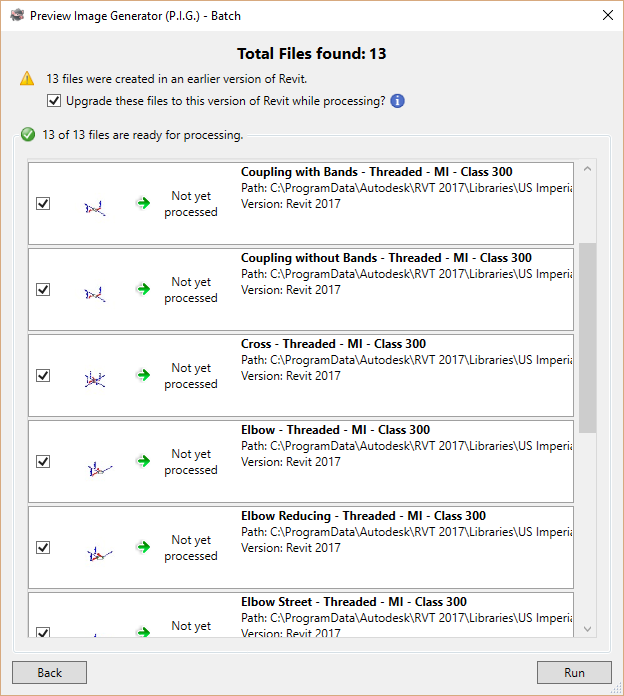
Upgrade library in the process (optional).
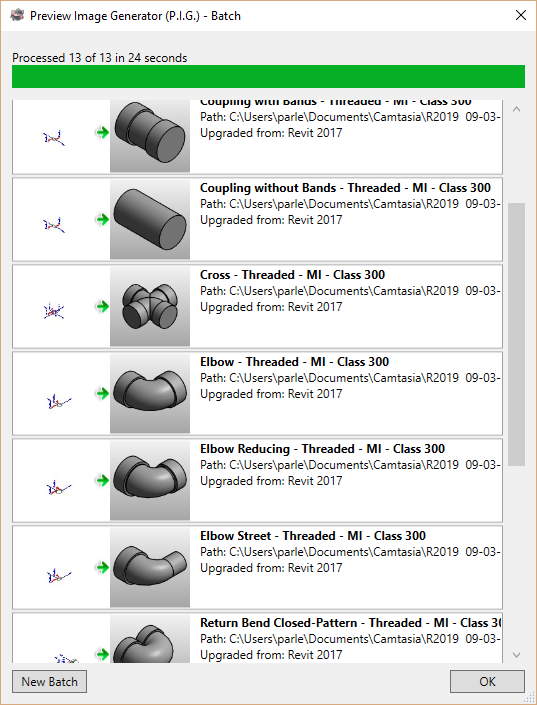
Automatically regenerates the thumbnail anytime you save your families.

“I have been able to quickly process thousands of families and the improvement of productivity and quality of the projects that are modeled increases considerably. 100% Recommended”
Carlos Jurado, Director of BIM Management @ SUMA
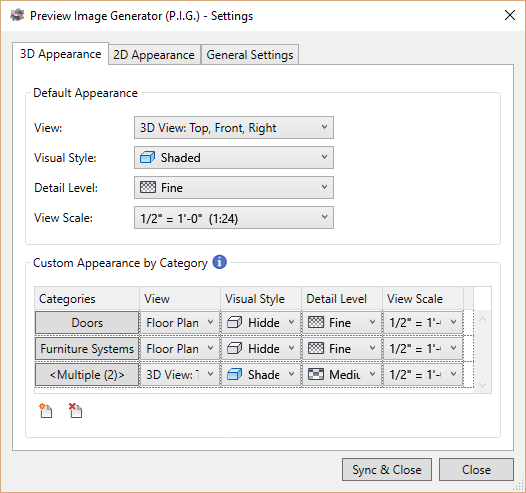
Settings are automatically saved to your company cloud account for all users.
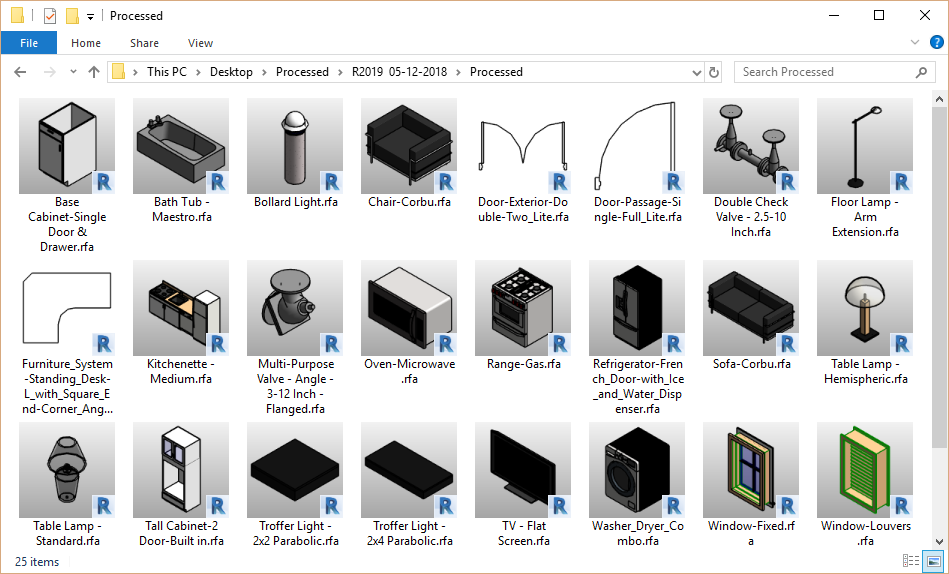
Users save time by being able to quickly identify, by category, the right object.
Allows easy curation / quality checks across all files.
“My previews now have a consistent look and the users are happy. This will save them time. About the best bang for your buck to keep BIM users happy in your company.”
Steve Bennett, BIM Manager @ Taylor Design
Enable view settings such as gradient backgrounds, anti-aliasing, preview visibility.
Hide reference planes, voids, host elements, system connectors and much more!
“Add-in pays for itself in the first use. The batch process is amazingly fast and gets your entire library of previews cleaned up and standardized for visual appearance.”
Brian Lindholm, VDC Manager @ Streimer Sheet Metal Works
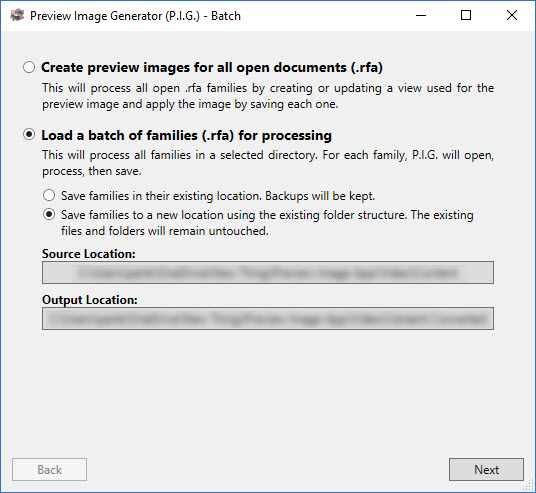
With one click, P.I.G. Batch will replace those ugly preview images with consistent & clear images for your entire library! It will even regenerate the preview image every time you save your families so you literally never have to worry again. Just install the app and let P.I.G. do its job!
Batch Version Features:
P.I.G. is available as a yearly subscription service. This ensures that you always receive the latest features and compatibility with the latest version of Revit. Two weeks prior to your automatic renewal, you will receive an email notification and you will have the opportunity to cancel.
*If you would like P.I.G. to silently run on every workstation at your firm, virtually eliminating the future need to monitor or batch through files, a site license is available. Please contact info@iconicbim.com for more information.
Note: This app uses a custom installer (and not the standard App Store installer).


The fast forward for the construction industry