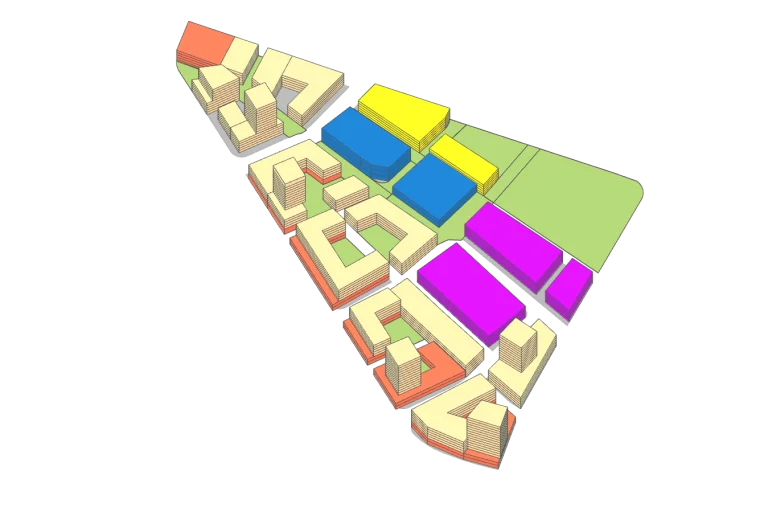
From mixed-use to urban planning – Get the numbers right Planary is a powerful tool for planning and feasibility studies, empowering architects and planners to iterate quickly with live data and explore scenarios through seamless integration with Revit and AutoCAD.
Inside Revit Generate massing and levels instantly into Revit and continue working on your design.
Immediate Feedback With a ‘live link’ to Revit (Filled Regions) or AutoCAD (Polylines/Hatches), you can conduct a feasibility study with real-time statistics, 3D massing and quickly explore more options.
3D Map See your project come to life in a 3D city context, including terrain and a satellite map.
Generate Excel Report Automatically create detailed Excel reports that include key metrics and data from your project, such as areas, unit mix, parking, area distribution, and more. Organize information into a clear, structured format that makes it easy to review and share.
Planary Feature Excel Visualize on Google Earth Bring your project to life by visualizing your design in its real-world context using Google Earth. See your model in a true geospatial environment, assess site conditions, and present your work with an added level of clarity and impact.
Continue Your Design in SketchUp Take your design process to SketchUp. Moving easily from the feasibility stage to advanced design.
Angular Plane Use angular planes to validate your design with municipality guidelines and standards.
Cross platform – Revit / AutoCAD Planary projects are compatible with AutoCAD and Revit. Start your work with one and continue with the other seamlessly.