
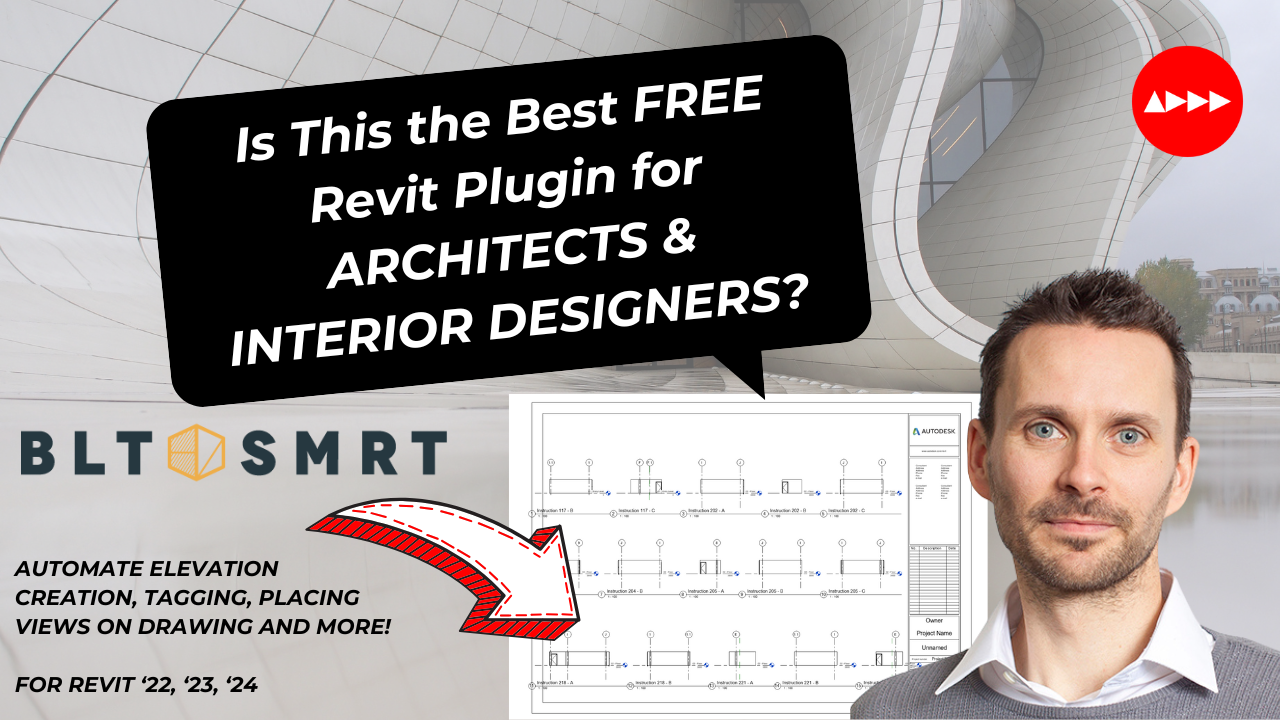

Is This the Best FREE Revit Plugin for ARCHITECTS & INTERIOR DESIGNERS?
Revit users, rejoice! If you’ve ever felt bogged down by the repetitive tasks that dominate your workflow, there’s good news for you. Foundry, a free Revit plug-in, is here to change the game. Designed specifically for architects and interior designers by professionals who understand the struggles of design documentation, Foundry is making waves in the AEC industry. From automating monotonous tasks to enhancing the precision of your projects, Foundry promises to streamline your workflow and free up your time for more creative endeavours. Let’s dive into why Foundry might just be the best Revit plug-in for your projects.
What is Foundry?
Foundry is a suite of tools tailored to simplify and supercharge your Revit experience. Built by experienced Revit users at BLT SMRT, this plug-in was designed with a deep understanding of the frustrations architects and designers face daily. Whether it’s tagging views, numbering doors, or creating elevations, Foundry eliminates tedious manual tasks, allowing you to focus on the design aspects that truly matter.
What sets Foundry apart is its low barrier of entry and intuitive interface. Unlike many plug-ins that require a steep learning curve, Foundry enables users to hit the ground running. It’s free, easy to use, and works seamlessly with Revit versions 2022, 2023, and 2024. But what truly makes Foundry shine are its game-changing features.
Top Features of Foundry
1. Prototype Studio
Imagine assigning floor, wall, and ceiling finishes to entire rooms in just seconds. Prototype Studio allows you to do just that. This tool uses external data files to assign finishes based on a room’s name and number, eliminating manual input and reducing human error.
Prototype Studio isn’t just about speed; it’s also about flexibility. Once you create a set of room profiles in one project, you can save and reuse them in future projects. The result? Consistency, accuracy, and up to a 70% reduction in modeling time. For large-scale projects, this feature alone is a lifesaver.
2. Elevation Creator
Creating interior elevations manually can be one of the most time-consuming aspects of any project. Elevation Creator automates this process by generating elevation views for selected rooms with precision and speed. You can customize marker placement and ensure that every elevation adheres to your company standards, saving you hours on documentation.
Paired with the Elevation Outliner, this tool also adds a clean, professional border to your elevation views, mimicking the aesthetic of traditional drafting. It’s perfect for teams that value both efficiency and presentation quality.
3. Auto-Tag Views
Revit’s built-in “Tag All” tool can be helpful, but it’s often limited to a single view. Auto-Tag Views takes this functionality to the next level by tagging only the visible elements across multiple views simultaneously. Whether it’s furniture, fixtures, or equipment, this feature ensures you never miss a tag, while saving you from repetitive manual tagging.
4. View Placer
Organizing views on sheets has never been easier. With View Placer, you can arrange your views in rows or columns, optimize layouts for better readability, and even set margins to fit your title block standards. It’s all about creating an organized, polished presentation with minimal effort.
5. Additional Tools
- Number Doors: Automatically renumber doors to match associated room numbers, reducing errors and streamlining the documentation process.
- Rename Elevations: Save time by automatically renaming elevation views based on their associated rooms.
- Settings Manager: Share and manage your tool settings across projects for consistency.
Why Architects and Designers Love Foundry
Foundry has been a hit among AEC professionals, and for good reason. By tackling the most monotonous tasks, it not only saves time but also improves project accuracy and quality. Many users report significant time savings, with some claiming up to a 50% reduction in documentation time for large-scale projects. For teams working under tight deadlines, this can be a game-changer.
Beyond efficiency, Foundry empowers designers to focus on their craft. Instead of spending hours on repetitive documentation, you can channel your energy into the creative aspects of your projects, ensuring better designs and happier clients.
How Does Foundry Work?
Foundry’s intuitive interface makes it accessible even for those new to plug-ins. The tools are well-organized, and each feature comes with simple customization options. For example:
- With Prototype Studio, you only need to assign room names and numbers before the tool models the finishes automatically.
- Auto-Tag Views lets you specify tag types and categories, ensuring that your tags are both consistent and precise.
Getting Started with Foundry
The best part? Foundry is completely free and available on the ADDD Marketplace. It’s compatible with Revit 2022, 2023, and 2024, making it a versatile tool for professionals using the latest software versions.
To get started:
- Visit the ADDD Marketplace Here.
- Download and install Foundry.
- Explore its suite of tools and customize your settings based on your project needs.
Final Thoughts: Is Foundry the Best Free Revit Plug-In?
Foundry is more than just a productivity tool—it’s a solution designed by architects, for architects. Its combination of powerful features, intuitive design, and proven time savings makes it a must-have for Revit users looking to streamline their workflow. Whether you’re assigning finishes with Prototype Studio or automating tags with Auto-Tag Views, Foundry empowers you to focus on what you do best: designing.
So, is Foundry the best free Revit plug-in for architects and interior designers? Give it a try and decide for yourself. Revolutionize your workflow today and discover why Foundry is quickly becoming the go-to tool for AEC professionals.
Call To Action!
1. Follow Me on LinkedIn- (5) Allister Lewis | LinkedIn
I’ll keep sharing highlights and deep dives on ConTech, BIM, and sustainable solutions as we move into 2025.
2. Join the ADDD Marketplace – www.addd.io
If you’re a ConTech innovator, sign up to showcase your cutting-edge solutions to an engaged, forward-thinking audience.
3. Discover New Tech
Head over to ADDD.io to explore software and services that can revolutionize your workflows—from generative design platforms to climate-focused modelling tools.
What’s Next?
This year, I’ll release a data-driven review comparing and contrasting all 30 early stage design and Generative Design tools. This will be the industry’s first comprehensive assessment—expect actionable insights on usability, scalability, and long-term value, helping you make informed decisions about your AEC software stack.
🧲 Get in touch if you have any questions or want me to explain the assessment process in more detail.
Plus! The Ultimate AEC Clash & Issue Management Software Comparison: Empower Your Projects!
My in-depth analysis equips AEC professionals with the insights needed to select the right software solution for effective Clash Detection and Issue Management. I’m excited to announce the release of my comprehensive report, “Clash and Issue Management Software Comparison: Comparing Four Issue Management Software: Verif3D, Revizto, Autodesk Construction Cloud and BIMcollab”. This in-depth analysis empowers AEC professionals to select the right tools for effectively managing project collaboration.
I cut through the noise and focus on what truly works in clash detection and issue management. My findings are backed by extensive research, including discussions with software vendors and industry professionals, providing you with actionable insights to improve your operations.
The full report is available for purchase on the ADDD Marketplace here!
Purchasing this report helps me to keep providing free updates and resources for architects!
🙏Thanks
Thanks for reading this update – reach out at allister@addd.io if you would like help or support with new technology adoption book a meeting, or if you want your product on the marketplace, book here:
https://meetings-eu1.hubspot.com/allister.
I’m happy to help and support!
Allister
CEO and Founder
ADDD
